 LoginSchedule demoLoginSchedule demo
Wondering how to drive more employee engagement in your employee advocacy program? Here are some essential tips to help you boost activity.


External economic issues to internal communications obstacles continued to dent businesses.
And according to Forbes Disengaged employees cost U.S. companies up to $550 billion a year, yikes!
But the problem is that keeping employees engaged is by no means, dare I say…easy?
Using an employee advocacy platform like EveryoneSocial gives you and your employees the tools needed to maintain strong brand visibility and yes, better your employee engagement in all departments while centralizing your brand from engineering all the way to marketing and CEO to intern.
Let’s look at some of the ways that EveryoneSocial can help increase your employee engagement.
Groups are the roots of your EveryoneSocial experience, this is where you can store content and focus on specific material that in turn, develop into posts (which we will circle back to later).
By utilizing Groups in EveryoneSocial, it ensures that the content that your team is trying to share onto the different channels are put in front of the right people who can engage and, in turn, allow more advocacy for your brand.
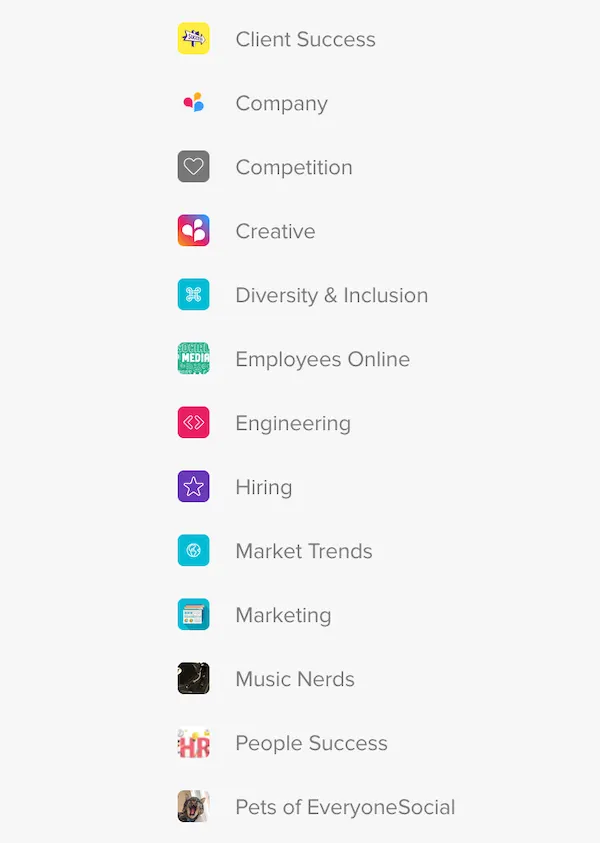
Content groups can be created and made by admins, which can be open to anyone from your team. Titles can be strictly department specific or unique, and culture building like “Break Room” or “Personal Branding Station.”
Creating not just groups, but the right groups that fit in with your company is very important when it comes to establishing a proper brand voice.
While you will have company-centric and industry-related groups, there are some groups that we like to suggest no matter what industry your company is in:
Competitive listening
Professional development
“Life at” and/or Employee Break Rooms
Diversity and Inclusion
Private Groups
Content groups can also be created by individual users within your organization. They have the ability to choose any topic they may find fitting for specific material either for cultural building, brand awareness, or fun topics related to their personal interests. You will also be able to select certain departments to be in your group.
Public groups will be open to all individuals, but you are also able to create private groups for specific individuals to join. Users who are not part of the private group will not even know that the group is in existence. You may want to do this for more confidential executive content along with higher up internal communications.
There are also other details regarding groups that you may find helpful
Earlier I mentioned that with EveryoneSocial you have the ability to create specific content that can either be set up for external sharing to your target audience or internal sharing for your company’s eyes only.
Lets jump into the benefits of both external sharing and internal sharing with EveryoneSocial and how it drives employee engagement.
When you share content with your company, you have the opportunity to share a link, photo/video, or just plain text.
You may decide to share a post that has information about a certain company event, an article, promotional content, or something simple to share such as a podcast.
You then need to decide which one of these you believe are best fitting for your post.
After you decide what content you want to share with your department or company as a whole, you need to decide if you want to allow employees to share it to their networks.
If the content you are producing is going to help promote your product or service in any way, shape, or form. You will want to check “allow sharing.”
In doing so your employees will be able to share this content to social media via their own profiles. This will help increase engagement for specific content surrounding your company’s team, product or service.
Now, not all of the content and information your employees will post will be created for your users and the audience of your product.
Sometimes an employee may want to share a more fun-loving post of something going on in their personal life, or your Marketing, Engineering, or Sales Director may post an end of quarter review.
This can be confidential information that is only to be shared with specific private groups and departments within your organization.
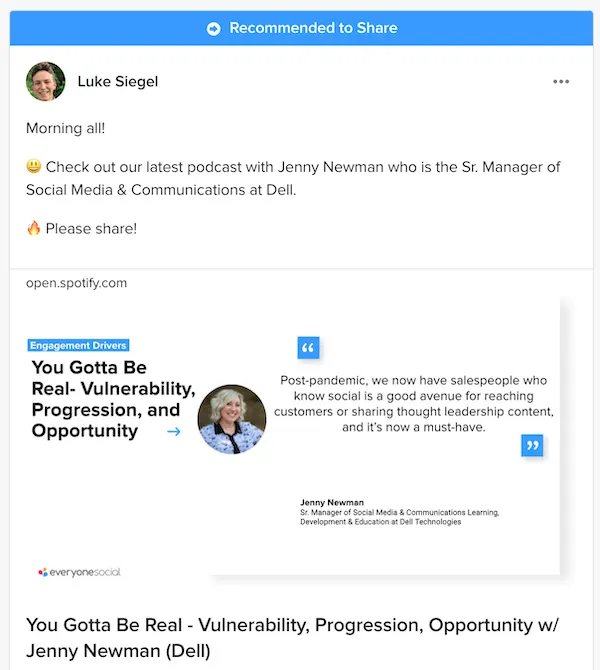
Examples of content to share externally:
Examples of content to share internally:
Just as any other social media sites can get hectic and crowded, sometimes you need to post an important piece of content that you want your team to see as a priority.
When creating a post, Admins (and potentially Moderators) have the option to mark their content as important. This feature is a great way to flag attention to important or timely content for your team.
Your users (employees) will receive an email as well as a web-app and mobile push notifications where they can read your message along with your posted content.
We see a tremendous increase in views, shares, clicks, and engagements on content posts that have been “Marked as Important.” This is one of the best ways to activate the user base.
Moderators can Pin content to appear at the top of the “Posts” section of a group, also known as your “feed” similar to social media channels like Instagram or Facebook.
Pinning content to the top of your feed is a way to ensure your group members see what you have added.
To do this, add your content via the “Internal Post” or “Post to this group” button. Both will take you to the same “Create a Post” window.
Add in your content (Link, image/video, or text) and select the group you moderate.
Scroll down to the “Pin this Post” option and toggle “ON.” You will also want to select an expiration date to remove the post from being pinned.
Related: Whether you’re new to employee advocacy or trying to achieve better results with your existing program, this buyer’s guide is an absolute must-read. Download The Buyer’s Guide to Employee Advocacy.
Once you have your groups organized and the content from your team keeps on coming, you will be able to use platform integrations to get your information spread out.
Especially with larger companies, you will always want to confirm that important information shared on EveryoneSocial is circulating across to your employees.
If your company is using different platforms to communicate you will be able to integrate the application with EveryoneSocial. Here are the different platform integrations that EveryoneSocial has.
For example, a great way to reach employees where they are most active may include pushing content to Microsoft Teams and Slack.
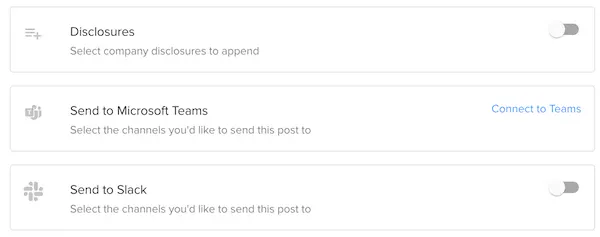
Now your team can drop content into a group and through the same posting flow, add the same content to your channels within MS Teams and Slack for the quickest way to share in an all-in-one action.
If your sales or marketing team is in Salesforce a lot, instead of having them log into another product, we have a built-in app of EveryoneSocial that can live right in your Salesforce instance. Boom!
Our developers have made sharing content on the platform quick and easy with the development of the EveryoneSocial web app, which allows users to share seamlessly with the Browser Extension.
Some more important details to focus on when it comes to browser extensions:
No computer? No problem! We also have a wonderful app that is compatible for IOS and Android users. The mobile application will enable you to partake in most of the same features that you would be able to on the computer version.
Features that are available on the mobile version:
The Leaderboard is a helpful way to increase shares and engagement, and can be used to encourage certain user social behaviors. Points are awarded to users for suggesting content, following co-workers, creating groups, etc. Also, user engagement is rewarded for sharing content from groups and users, liking and commenting on user posts.
You can create as many Leaderboards as you’d like and each will rank its specified user base according to their activity and performance with social sharing and internal program contributions alike.
Audience:
Select audiences as large as the entire company or as specific as a custom segment created for just a few C-Suite individuals.
Group, Department, or Location-specific leaderboards
Team vs. Team
In order for the leaderboard to be successful and impactful throughout your organization. You should utilize company rewards to honor and respect the employees who are engaging and advocating for your brand most consistently.
You do not just need to honor the #1 person who is on the leaderboard. We recommend randomly selecting winners based on achieving a threshold such as “being in the top 25” or “those with 250+ points” so that users feel like it’s achievable.
Here are some of our ideas to reward your employees:
Todd served as Director of Marketing at EveryoneSocial, leading content strategy and editorial across the blog through 2021. Today he is Head of Content & Brand at RemoFirst, founder of Linkeezy (an inbox and content tool for LinkedIn), and a SaaS marketing and content advisor.
See the platform that comms, marketing, and compliance teams use to run their advocacy program.

