 LoginSchedule demoLoginSchedule demo
Isn’t it amazing how much LinkedIn has grown as a social platform for professionals? And how much interesting content and information there is to consume?


Isn’t it amazing how much LinkedIn has grown as a social platform for professionals? And how much interesting content and information there is to consume?
When I graduated from college in 2010, LinkedIn was basically just a place for your resume and not many people posted good content.
Fast forward to today and LinkedIn has nearly 800 million members in more than 200 countries worldwide, which will certainly continue to grow!
Now the platform is a great place for people to research and discover products or services, connect and network with others, find new jobs and other professional opportunities, build community and thought leadership, and much more.
However, it can all be a bit intimidating and overwhelming at first.
Whether you are an individual looking to be more active on LinkedIn or you manage an employee advocacy program at your company, these LinkedIn posting tips will help you and your colleagues win on the platform.
For many looking to post or share content on LinkedIn, you might feel like a deer in the headlights at first. You start to question yourself and realize you’re putting yourself out there for others to see.
You might even ask yourself things like:
I think for most people, these are very common thoughts that can make you a bit hesitant. However, the main thing to keep in mind is to just start.
It’s not as scary as you think, and you’ll learn over time what works best for you.
Before we get into the LinkedIn posting tips though, there are a few things you’ll want to do first.
If you don’t already have a LinkedIn account, you’ll definitely want to sign up.
Now before you take content posting on LinkedIn more seriously, it’s a good time to optimize your profile.
What’s your expertise in? What skills do you have? How do you want to be known?
These are questions to ask that’ll help you get your LinkedIn profile in top shape. Other things to consider:
If you want more details on the above and additional tips, we have a post about optimizing your Linkedin profile you’ll want to check out.
Once you get your profile in top shape, it’s important to think about your content strategy for LinkedIn.
What kind of audience do you want to connect with? What types of content interest you? And what expertise do you have that you’d like to share with your network?
For my own LinkedIn, these are the topics I share via our own instance of EveryoneSocial:
Those are my four main areas that I talk about, the types of content I want to share, and the content I plan on engaging with that others are sharing.
One thing you should explore is using an employee advocacy platform, like EveryoneSocial.
Many organizations have one in place to make it easier for employees to create, share, and engage with content. And it allows your company to organize content by topic, like news, marketing content, recruiting content, third-party resources, etc.
The results for employees and the company are impressive, just take a look at some of our customers’ results.
If your company already has one in place, find out how you can get invited. Or maybe you already signed-up on your platform, but haven’t used it much yet. This will be a great opportunity for you to start sharing quality content to your LinkedIn.
Related: Interested in launching an employee advocacy program at your company? We put together a simple guide with bonus worksheets to help get you started. Download your copy of our Employee Advocacy Launch Guide.
Okay, so are you ready to start creating and sharing content on LinkedIn? Good!
Below are some simple, but powerful, LinkedIn posting tips that we’ve seen work for both us and those who utilize our employee advocacy platform.
Surprise! Our first tip isn’t about posting and scheduling content for your audience.
Instead, it’s about being a valuable member of the community. Social media platforms are about being social, that means engaging and being a part of the conversation others are having.
Spend 5-10 minutes each morning “liking” or commenting on content that interests you while you have that first sip of coffee. Be a part of conversations, and add value to the discussion where you see fit.
A few reasons this matters:
Tip: Engage with your current network, follow hashtags of topics that interest you, and engage with people/content you find interesting.
You need to identify the topics you plan on talking about and what interests you before blindly jumping in. It’s why we recommend figuring this out before these Linkedin posting tips.
But now that you have your topics, what should your posting schedule look like? Well, the answer is it depends.
Sorry, not exactly what you were looking for, right?
There is no set content schedule for when a certain topic should be posted, but you should mix it up for variety.
Personally, I tend to post on LinkedIn two to three times per week. Others might post every day. It’s what you feel comfortable doing and how your audience begins to interact. You’ll get a feel for what works — or doesn’t — over time.
Posts talking about your company, the work you do, and products or services are great to include in your content mix. They’ll also be important if you’re a part of an employee advocacy program or looking to launch one.
But too much of that can be less engaging and interesting to your audiences.
It’s why we encourage our customers to allow employees to share various forms of content. Even non-company-related content can positively impact the business, while still giving employees more content freedom.
Of course you want to drive traffic to your website, blog, or company, right? But link shares are not the only content medium you should post to LinkedIn.
You want to find a balance of text, images, GIFs, and videos to post. All these will keep your content fresh, engaging, and you get to be more creative.
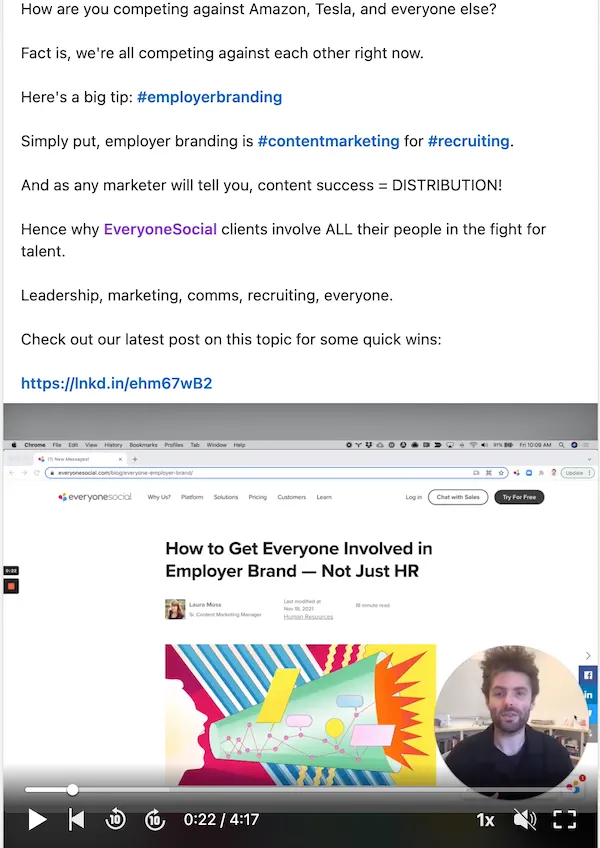
The challenge with links is that social platforms don’t want you leaving their platform. LinkedIn especially doesn’t want the audience bouncing to other websites. While we don’t know all the details of how their algorithm works, link content tends to be throttled.
That means regardless of how you share a link — natively to LinkedIn, through a social media management tool, or an employee advocacy platform — link content can get buried in the feed, resulting in less engagement.
However, by mixing in the content types and engaging with your networks (see tip #1), your link content has a better chance of being consumed, clicked, and engaged.
Why? Because you’ve warmed the algorithms up with various mediums over time and your networks trust the valuable insights you bring, so they won’t hesitate to check out your link content.
So don’t be afraid to share links — just don’t think you can post link-only content all day, every day and expect great results.
If you’ve ever searched for the “best times to post on social media,” you’ll get lots of different results — not only for the best times of day to post, but also for which days of the week you should post.
Remember, LinkedIn has a sophisticated algorithm for its feed timeline. So gaming the system might work for a bit based on timing of posts, but it’s good content that’s educational, creative, intriguing, and engaging that’ll always prevail.
That’s my mantra when it comes to social media content. 😉
However, there are some posting trends our team has noticed for LinkedIn, too.
When I was testing this out for myself via a private group in EveryoneSocial, I found weekday mornings between 8:30 AM and 10:45 AM EST to work best. And I noticed Tuesday, Wednesday, or Thursdays also have better results.
But I’ve also seen late afternoons work and even weekends when less people might be posting.
The best thing you can do is test it out yourself and find your posting groove!
Remember my first tip to engage with others’ content each morning? Well, you need to also take that advice and apply it to people who engage with your content.
If someone responds to your post with a question, their own insights, or even a counterpoint, engage with that comment!
Here’s why this matters:
When your content generates discussion, it signals to LinkedIn that the content is interesting, and the algorithm responds by pushing your post to the top of more feeds.
You build trust and relationships with commenters when you engage with them.
Others start to jump in, engage, or discover you, and they’ll want to connect. Basically, you get more eyes both on your content and your profile.
The snowball effect on interesting content really works. Just take a look at one of my LinkedIn posts below.
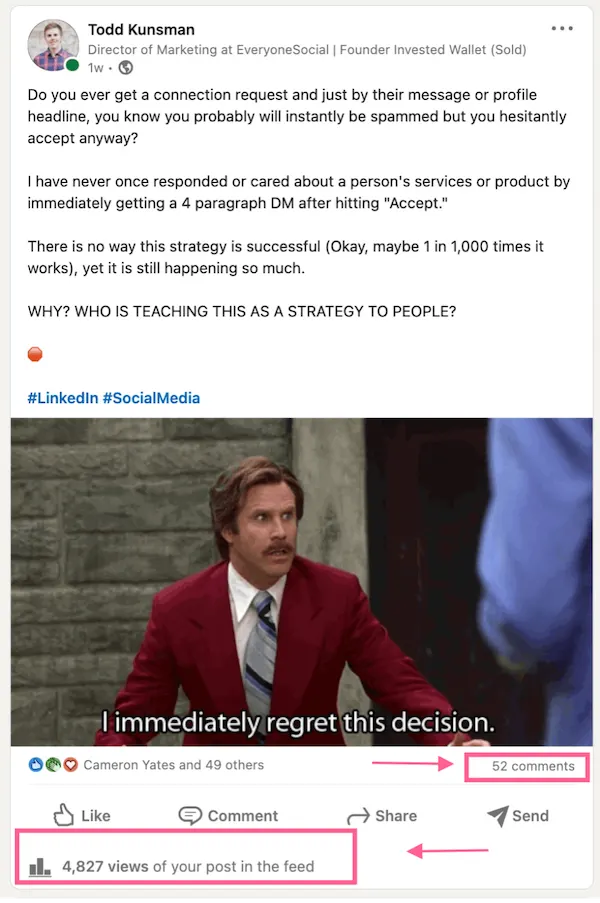
Once the comments and my responses started, there was more reach and people jumping in the comments for a few days!
Often when it comes to social media posts, people get too formal and “corporate” sounding.
Look, being professional is important ,especially with social media for work, but that doesn’t mean you can’t be personable and interesting, too.
So be human, keep your posts conversational and personable, and be sure to add your own style to the copy and content.
In our customers’ employee advocacy programs, admins have the ability to lock down commentary, let employees edit the copy, or even include disclosures (hashtags or sentences). Sometimes, the copy and messaging being there for the employee makes it easy for those to share quickly and provides a guideline.
However, we strongly encourage customers and platform admins to allow employees to write posts in their own words since this sounds more conversational and authentic.
Plus, your employees’ audiences know when it’s marketing jargon or a corporate sentence. When it’s more personable and in their actual voice, the results end up being much stronger.
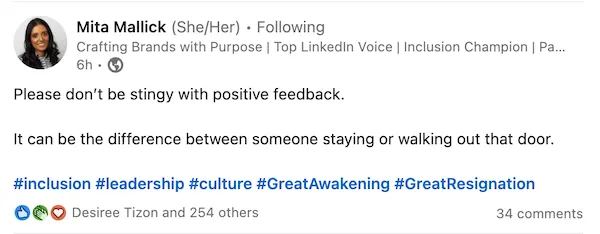
There’s no doubt that LinkedIn is a powerful place to build your personal brand, create career opportunities, and drive attention to your company.
Twitter, Instagram, and even Facebook are also places to consider being active, but LinkedIn is the juggernaut for professionals in the social media industry.
Along with the above LinkedIn posting tips, also remember to use the art of storytelling in your content.
What are you looking to achieve? What do you want to get across? And if you’re running an employee advocacy program, what are the goals for the company and its active users?
People love good stories. It doesn’t matter if you’re sharing a personal anecdote, company content, or your own expertise — give it a story.
Too often people want to randomly post and just their posts go viral. Or a company wants to put an employee advocacy platform in-place and try to get employees to just spam their networks with company news posts only.
I’m here to tell you that none of these so-called strategies work.
Todd served as Director of Marketing at EveryoneSocial, leading content strategy and editorial across the blog through 2021. Today he is Head of Content & Brand at RemoFirst, founder of Linkeezy (an inbox and content tool for LinkedIn), and a SaaS marketing and content advisor.
See the platform that comms, marketing, and compliance teams use to run their advocacy program.
