 LoginSchedule demoLoginSchedule demo
Public Post Pages are a new feature that allow users to post or share native video & non-users to share certain EveryoneSocial content.

It’s that time of the month where we get to unveil new features for EveryoneSocial! While we’ve got a lot of cool stuff cooking, this time around we’re talking Public Post Pages.
We’re glad you asked, let’s get right into it!
The TL;DR description is that they allow you to post, share, and interact with video content just like you would with anything else on EveryoneSocial. More importantly, you can now share video files of any size, which is especially beneficial for platforms like LinkedIn and Twitter that limit video length.
Why does this matter? Well, we know that video drives engagement better than most other forms of content and driving engagement is kind of our thing…
After all, Instagram posts containing video tend to perform better than others, and Tweets with video content can see up to 10x more engagement. Also, our customers have been asking for it; who are we to deny the people what they want?!
Related: Harnessing the power of employee-generated content can level up your content strategy framework! Find tips on how to activate your employees as content creators.
That’s not all Public Post Pages are good for though; they also enable people who aren’t registered EveryoneSocial users to see certain** in-platform content! Allowing non-users to see certain posts can be massively helpful for driving engagement and increasing content visibility.
If you’re getting a little nervous because you might have to learn a new thing, take a deep breath. We’re enabling this feature by default for all our customers going forward, so you don’t actually have to do anything on your end to reap the benefits.

For a post to be publicly viewable, “Allow Sharing” must be selected. When posting internal-only content, simply leave this unchecked.
Say someone posts a picture of your team at an industry awards ceremony on EveryoneSocial, and you REALLY want to show your Mom. As long as the post is shareable, if you send her a link she’ll be able to see it, print it out, and hang it on the fridge without any problems.
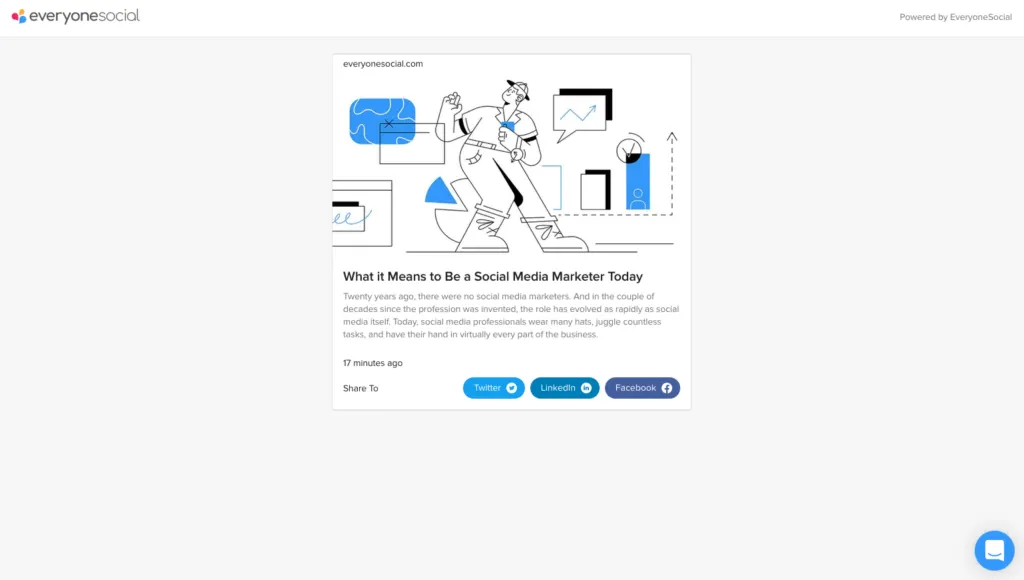
This is what a Public Post Page looks like to someone who isn’t an EveryoneSocial user.

Not only can Mom see your lovely photo so that she can print it out, she can also share it to her own social media! That’s right, anyone who has the link to your Public Post Page can help you distribute content to their own networks. Pretty cool, right?

Sharing content from a Public Post Page to social media is a piece of cake, even when you’re not an EveryoneSocial user!
**Something to note here is that not every post needs to have a Public Post Page. When posting internal-only content, you can turn off sharing and it’ll only be visible to your registered EveryoneSocial users.
In case you’re still feeling a little lost, we have this nice instructional video that walks you all the way through the feature. Trust us, it really is simpler than it sounds, and you’ll be sharing EveryoneSocial posts out to the world in no time!
Todd served as Director of Marketing at EveryoneSocial, leading content strategy and editorial across the blog through 2021. Today he is Head of Content & Brand at RemoFirst, founder of Linkeezy (an inbox and content tool for LinkedIn), and a SaaS marketing and content advisor.
See the platform that comms, marketing, and compliance teams use to run their advocacy program.

