 LoginSchedule demoLoginSchedule demo
What's new at EveryoneSocial? SOC 2 announcement, public post pages analytics, sharing to company LinkedIn pages, and more!


EveryoneSocial just got back from summer camp, and we’re surprised how much it developed in such a short time!
If you’re feeling a little “campsick” yourself, we get it. But the summer isn’t over yet! And let’s celebrate all the new features we’ve rolled out recently.
Value: Information security, enterprise compliance, data privacy.
Status: Live!
Hats off to our man for all seasons Darrell Davis and duck dad engineer Brian Price for EveryoneSocial’s outstanding SOC 2 Type 2 report, which came through with zero exceptions.
What does this mean? SOC 2 compliance follows the Trust Services Criteria of client data. Specifically, it’s for security, availability, processing integrity, and confidentiality privacy.
Some background information on all this: The American Institute of CPAs developed the SOC voluntary standard to help organizations, regulators, and partners best manage their trusted data. In our case, the “Type 2” qualifies EveryoneSocial’s exceptional operational efficiency with our management of information security.
Our excellent audit score shows three things:
Value: Enable everyone in the company to share
Status: Live!
How do you get everyone in your company to share your most important content when not everyone has signed up for EveryoneSocial? By using EveryoneSocial’s Public Post Pages!
Tens of thousands of employees visit these pages monthly; however, we’ve been limited in the reporting we’ve been able to pass back to our clients (e.g., who shared what and where and the results it generated). These updates change all of that and bring Public Post Pages to everyone.
What’s new with Public Post Pages?
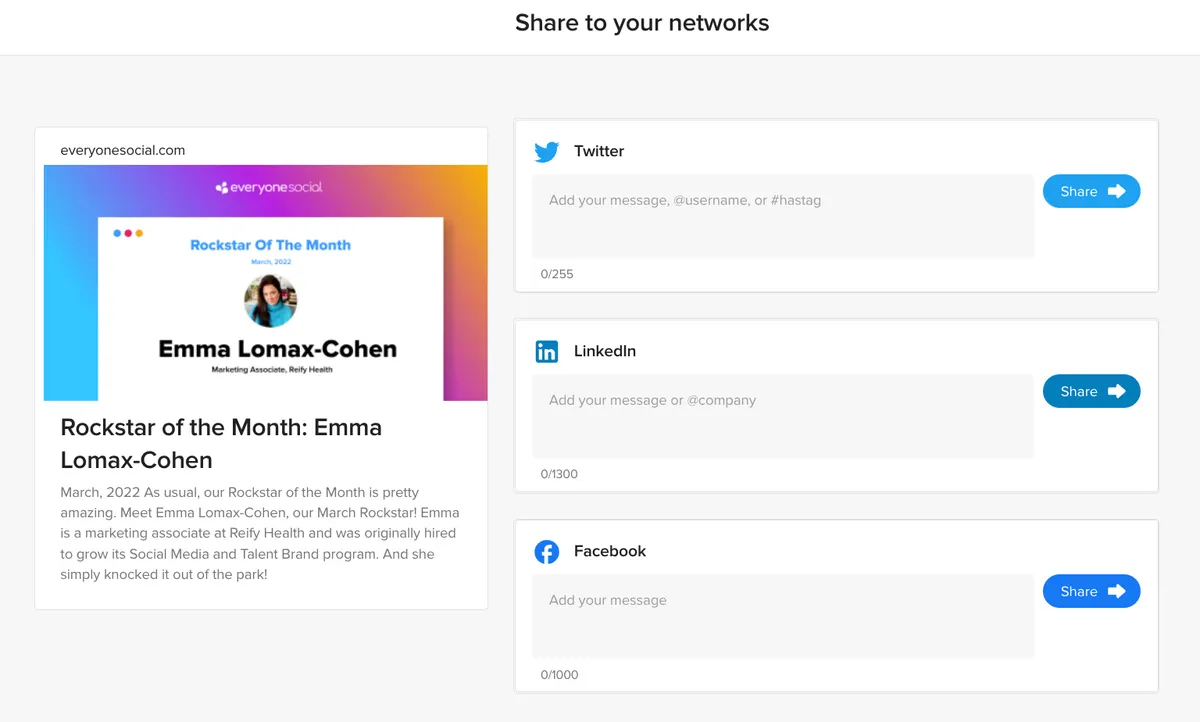
We’re super excited to see how EveryoneSocial clients use these updated Public Post Pages to drive sharing and activation across their organizations.
Value: Save time by posting to company pages and elsewhere simultaneously.
Status: Live!
The convenience of the EveryoneSocial post flow is how many proverbial birds you can hit with one stone (i.e. one click). That is to say, you can share content to various networks and profiles with a single share.
You already know this, but we’ve added one more “bird” to line up in your content crosshairs.
If one of your EveryoneSocial users (e.g., a social media manager) has access to their company pages on LinkedIn, they can now share to those pages while sharing to their own networks.
Just as you would toggle on any of your authenticated networks when preparing to share from EveryoneSocial, your LinkedIn company pages will appear in the post flow stack.

If you have multiple LinkedIn company pages, you can select which one to post to, as well as provide messaging in the familiar share copy options as well.
Value: Get a better picture of how many people have seen your shares
Status: Live!
From your Activity dashboard, you can now see Impressions analytics for posts shared from EveryoneSocial.
This is something EveryoneSocial customers have asked for and we’re SUPER excited to deliver it.

Knowing how many times your content has been shown to connections is a helpful metric for achieving your social program’s goals.
When it comes to networks, knowledge = ROI, and our updated analytics will help you take one gallant step in that omniscient direction.
Value: Directly post videos from EveryoneSocial.
Status: Live!
If you haven’t already, definitely take advantage of the updated video sharing from EveryoneSocial to any authenticated LinkedIn network.
We encourage you to post substantial video content, but sometimes silly videos posted from EveryoneSocial to LinkedIn get a lot of engagement just the same.
Personal post plug aside, the point is all that engagement would be for naught if EveryoneSocial hadn’t natively uploaded the video on LinkedIn. Cue the elevator music.
For a full explanation of the why’s and how’s of this grand improvement, check out this post.
Value: Advocacy and communications are better together.
Status: Live!
Did you know you can share any EveryoneSocial content to your company’s Slack and Teams spaces? That’s right!
Next time you’re looking for something fresh to drop in the ubiquitous #random or #break-room channel, post it from EveryoneSocial.
Tell me your company doesn’t have a #random or #break-room channel — every tech company I’ve worked for seems to have these.
Once posted to Slack or Teams, whoever is already invited to the channel that you posted in will be able to View, Engage, and Share your content, depending on your desired permissions.
Here’s more information on the EveryoneSocial integration with Slack and Microsoft Teams.
See the platform that comms, marketing, and compliance teams use to run their advocacy program.

