

Forwarded once by your program admin
Nothing on this page blocks the update. Every item can be finished before or after your company's scheduled update date, and sign-in keeps working either way. Email allowlisting (item 3) is the one worth doing first, because it applies to every company.
01If your people sign in through your identity provider
Single sign-on (SSO)
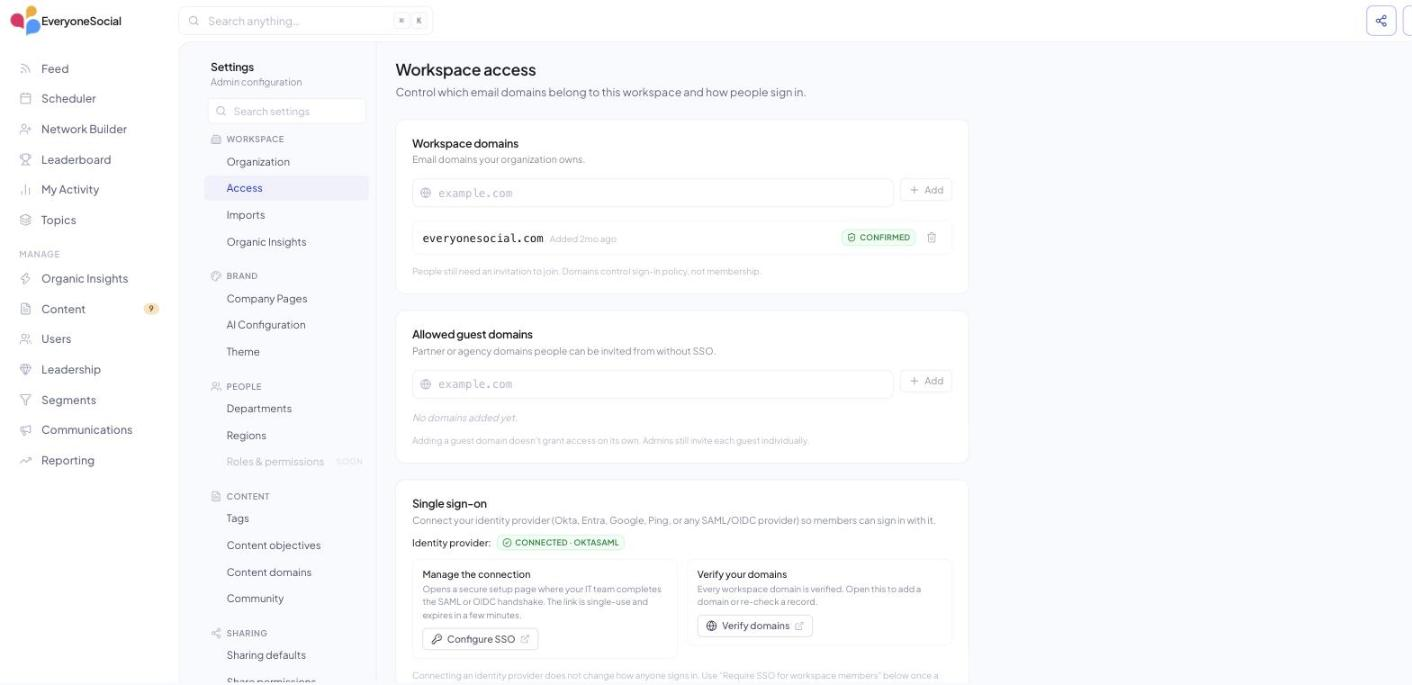
Applies if your people sign in to EveryoneSocial through your identity provider (Okta, Microsoft Entra ID, Google, Ping, OneLogin or another SAML or OIDC provider).
v3 uses a hosted SSO service (WorkOS). Your identity provider connects to it through a short guided setup that issues new SAML or OIDC values, and your existing connection keeps working until your scheduled update date, so nothing is disturbed. The steps are: confirm your company's email domain with one DNS TXT record, then walk the setup wizard for your provider, then have one person test a sign-in. We enable SSO on the workspace and enforce it only once your test sign-in succeeds; until then your people sign in with an email link, so a late setup never breaks anyone's access.
Full walkthrough with screenshots per provider: everyonesocial.com/v3-sso-guide, and the Technical Integration Guide: Setting Up Single Sign-On (WorkOS) in the help center.
If your people sign in with an email link today (no SSO), there is nothing to do here.
02If your program posts into Slack
Slack app approval
A workspace admin installs EveryoneSocial for Slack from Settings › Connected apps inside the v3 app, with one Add to Slack click. If your Slack workspace requires admin approval for new apps, your Slack admin will see the request and approve it. The app posts into the channels the program admin selects and reads nothing beyond what it needs to post and to link a person's Slack account to their EveryoneSocial account.
Scopes, data handling and the approval flow are documented in Slack: IT Admin Approval, Permissions, and Security Review.
Programs running on Microsoft Teams or Google Chat: tell your EveryoneSocial contact and we will follow up on your channels directly.
03Every company; worth doing before the update
Email allowlisting
Applies to every company. It is the one item worth doing before the update so that sign-in links, notifications and program emails land in the inbox with images showing. Allow the sending domains by domain, never by IP address. Both domains publish SPF and DKIM.
| Allow | Why |
|---|---|
everyonesocial.app and all subdomains | Sign-in links (no-reply@auth.everyonesocial.app), notifications (notifications@beta.everyonesocial.app, which will later send from a non-beta hostname; the domain rule covers both), program emails from Campaigns (digest@send.everyonesocial.app) |
everyonesocial.com and all subdomains | Support replies and the help center at support.everyonesocial.com |
Browser and proxy allowlists, for locked-down networks: *.everyonesocial.app, supabase-gateway.everyonesocial.app (the app's API host), *.ferndesk.com (help center content), plus the LinkedIn and Mux media hosts listed in the full article. The full table with every host and sender is the IT Allowlisting Guide: Email Senders and Domains for EveryoneSocial v3.
04If you provision users from your identity provider today
Directory sync (SCIM)
If your company provisions and deprovisions users from your identity provider today, tell us. Single sign-on is available now and covers sign-in; directory sync for automatic provisioning is planned for later this year. We are collecting the companies that want it so we can sequence it, and one reply with your identity provider's name is enough.
One reply is enough
Questions
Two links to keep
Everything else is one page away.
Reply to the person who sent you this page, or write to support@everyonesocial.com. Security documentation and a completed questionnaire are available on request.
SSO walkthrough: everyonesocial.com/v3-sso-guide
Admin setup guide: everyonesocial.com/v3-admin-guide